A Shopify SEO checklist is the short list of settings and fixes that get a Shopify store found in Google: connect Search Console and submit the sitemap Shopify generates, give every product and collection its own title, meta description and URL handle, add image alt text, keep pages fast and stock status accurate. The same product data now feeds AI answers too: Google says AI Overviews need no extra optimization, and OpenAI says Shopify catalogs are already integrated with ChatGPT.
TL;DR
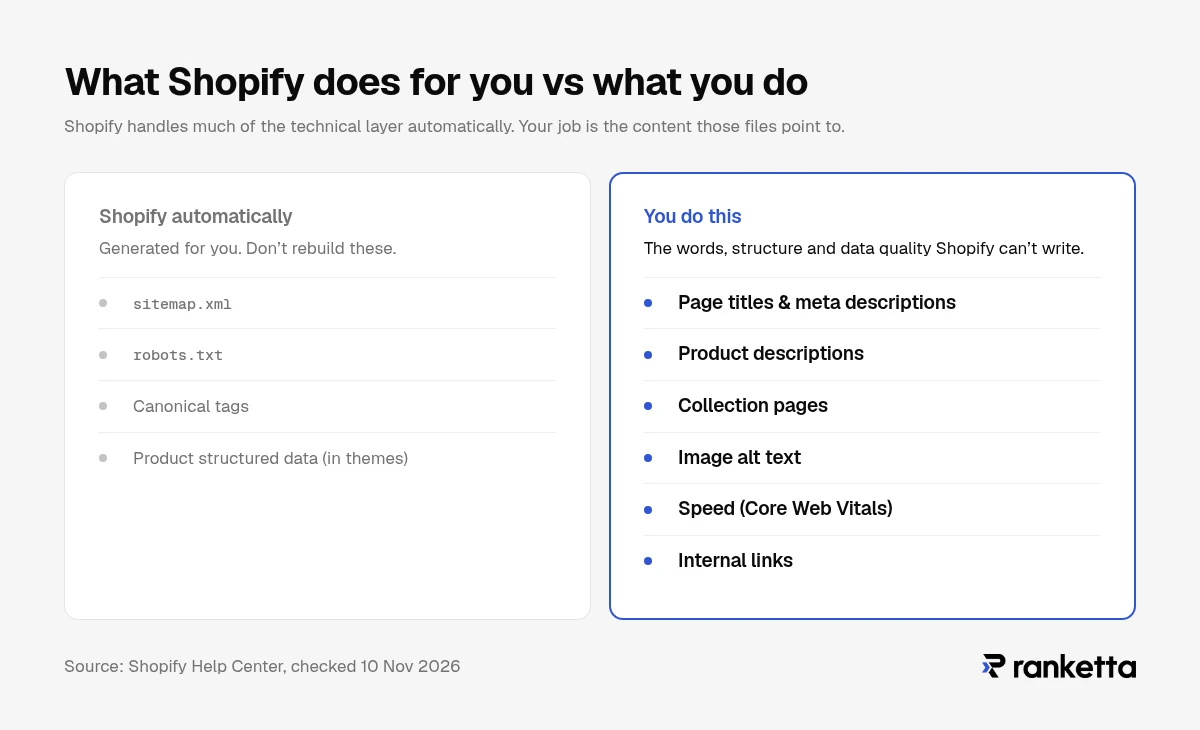
- Don't rebuild what Shopify already does. Shopify says your sitemap, robots.txt and canonical tags are generated automatically, and its themes include product structured data. Your job is the content those files point to.
- Every product needs its own page title, meta description and URL handle. Shopify gives you an editable search engine listing for each product, collection and page. Copy pasted from the manufacturer is often the weak spot.
- Check speed in Shopify's Web performance dashboard. It reports Google's Core Web Vitals from real visitors over 30 days. Aim for LCP within 2.5 seconds, INP of 200 ms or less and CLS of 0.1 or less.
- Keep temporarily out-of-stock product pages live. Google's advice is: "It's better to still allow that page, and mark it out of stock."
- The same work now counts in AI search. Google says there are "no additional requirements" to appear in AI Overviews or AI Mode, and OpenAI says Shopify catalogs are already integrated with ChatGPT. What changes is how you measure it: Search Console won't tell you whether ChatGPT recommends your products.
What is Shopify SEO?
Shopify SEO is the work of getting a Shopify store's product, collection and content pages to rank in search engines, and to be shown in the shopping answers search engines now build. It is ordinary ecommerce SEO, applied to what Shopify lets you control.
That last part matters. Shopify handles much of the technical layer for you. Its own help center says: "Shopify handles many technical SEO optimizations automatically, such as generating sitemaps and structured data." It also says "Your website's sitemap.xml and robots.txt files are automatically generated" and that "Auto-generated canonical tags are added to pages to prevent duplicate content from appearing in search results."
So a Shopify SEO checklist is shorter than a generic one. It is mostly about what Shopify can't write for you: words, structure, and data quality.
How to improve SEO on Shopify
Work in this order. Each step makes the next one count.
- Make the store visible to Google. Take the store out of private mode, add it to Google Search Console and submit the sitemap.
- Fix the pages that sell. Product and collection pages usually match buying searches, so they come before the blog.
- Check speed and stability. A slow theme or a heavy app undoes good copy.
- Build internal links and content. Link collections to products and guides to collections, so Google understands what matters most.
- Earn links from outside. Reviews, press, suppliers and partners pointing to your store.
- Measure in Google and in AI answers. Rankings and clicks in Search Console, recommendations in AI assistants.
Setup and technical checklist
Connect Search Console and submit your sitemap
Shopify creates your sitemap at yourstore.com/sitemap.xml. According to Shopify, it "contains links to all your products, primary product image, pages, collections, and blog posts." Add the store to Google Search Console and submit that address.
One thing blocks this completely. While your store is in private mode (password-protected), Shopify says "all of your online store's pages are hidden from visitors and search engines," and Google "can't access" the sitemap. Remove the password before you expect anything to index.
Make sure Google sees one URL per product
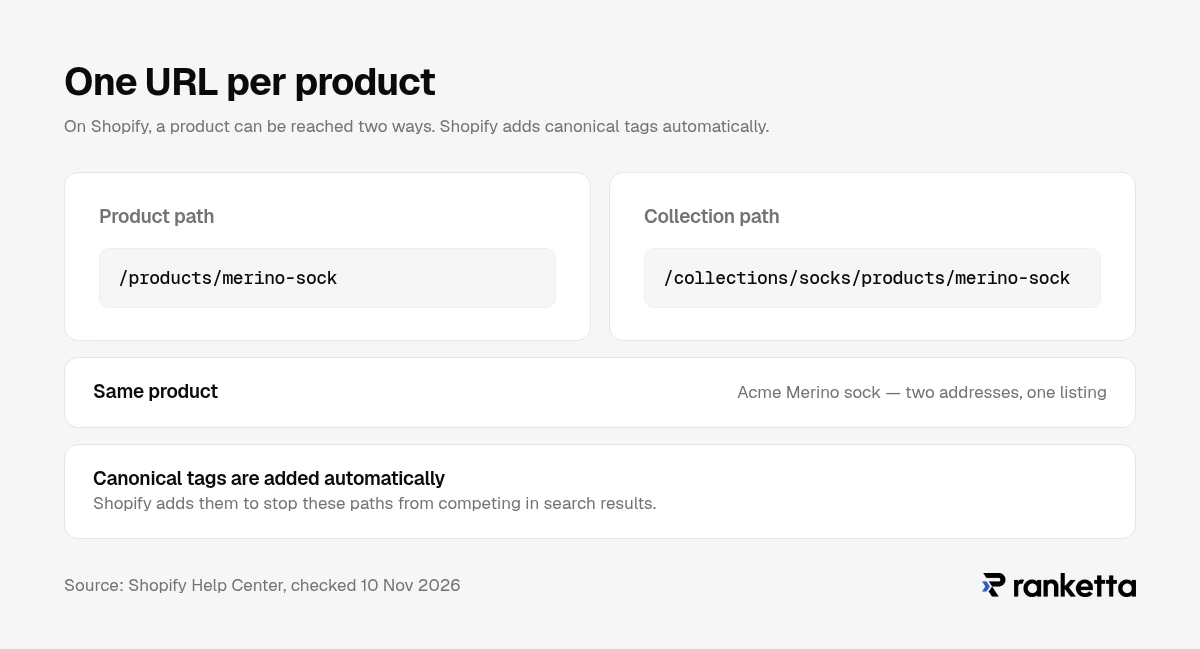
On Shopify, a product can be reached at /products/product-name and also through a collection, such as /collections/shoes/products/product-name. Shopify adds canonical tags automatically to stop these from competing in search results.
Shopify's theme documentation also tells developers to "consider the SEO implications" of linking to products through collection URLs. In practice: open a collection page, hover over a product, and check which URL your theme links to. If it links through the collection path, ask your theme developer whether that is intentional.
Check speed in the Web performance dashboard
Shopify's Web performance dashboard reports Google's Core Web Vitals "based on real user data from the past 30 days." Google's thresholds for a good experience are:
| Metric | What it measures | Good |
|---|---|---|
| LCP (Largest Contentful Paint) | How fast the main content appears | within 2.5 seconds |
| INP (Interaction to Next Paint) | How fast the page reacts to taps and clicks | 200 ms or less |
| CLS (Cumulative Layout Shift) | How much the layout jumps while loading | 0.1 or less |
If a metric slips after you install an app, that app is the first suspect. Remove apps you no longer use, check the theme for code or blocks they left behind, and recheck the dashboard.
Leave robots.txt alone unless you know why
Shopify lets you edit robots.txt through a robots.txt.liquid template, but calls it "an unsupported customization" and warns that "Incorrect use of the feature can result in loss of all traffic." The default file is fine for most stores.
Product page SEO on Shopify
Product pages are where buying searches land. Each one should be able to rank on its own.
Titles, meta titles and URL handles
Every product has a search engine listing section in the admin with a page title, a meta description and a URL handle. Write them for the search, not the catalog code:
- Product title: brand, product type and the attribute people search for. "Merino wool running socks, cushioned" works harder than "Model RS-2."
- Page title (meta title): the product title with the search term up front. Shopify says themes "automatically generate title tags that include your store name," so don't type the store name again.
- Meta description: one sentence on what makes this product the right pick, plus price or delivery if that's your edge.
- URL handle: short and readable. Shopify warns not to change it "too often or the product might not display in search engine results." If you do change it, make sure a URL redirect from the old address exists.
Descriptions that answer buyer questions
Product pages often use copy pasted from the manufacturer, the same text other stores selling that product use. Write a description that answers what a buyer actually asks: what it's for, who it suits, what it's made of, how it fits or compares, and what's in the box. Put the answer in the first two sentences, then the detail. Our guide to structuring product data for AI search goes through the fields that matter most.
Images and alt text
Shopify lets you add alt text to every product image from the product's media. Describe what the image shows, including the product name and the variant ("Merino running sock in navy, side view"). Alt text helps image search and makes the page accessible to people using screen readers.
Product structured data and reviews
Shopify says its themes "automatically include schema markup for products, which enables rich snippets in search results," and its structured_data filter outputs Product, or ProductGroup when a product has variants. Google's ecommerce documentation recommends that you "Include structured data in your site's product pages," so check yours in Google's Rich Results Test rather than assume.
Reviews matter beyond markup. Real customer reviews on the page answer the questions copy can't, in the words buyers use when they search.
Variants and out-of-stock products
Keep variants (sizes, colours) on one product page unless people search for a variant by name. One strong page is usually better than five thin ones.
When something is temporarily sold out, don't delete or hide the page. Google's guidance is: "It's better to still allow that page, and mark it out of stock." Keep inventory in Shopify accurate so the page and its structured data show the right status. If a product is gone for good, redirect its URL to the closest product or collection.
Collection pages: where category searches land
Searches like "women's trail running shoes" often land on a collection, not a product. Treat each important collection like a product:
- Give it its own page title, meta description and URL handle.
- Add a short introduction above the products that says what the collection is and who it's for.
- Link to it from your main navigation and from related guides.
Google's ecommerce documentation also says: "If a category has no items, use a noindex robots meta tag." Shopify has no noindex switch for collections in the admin, so either remove empty collections from your online store or ask your developer to add a noindex condition in the theme.
Content, internal links and backlinks
A Shopify blog earns its place when it answers questions buyers ask before they choose a product: how to pick a size, which material lasts longer, what's the difference between two types. Each article should link to the collection or product it helps sell.
Links from outside still matter. The realistic sources for a store are suppliers and brands you stock, local press, gift guides, partners, and review sites in your category. A link from a relevant publication is usually worth more than many from directories.
Does Shopify have an SEO tool?
Shopify has SEO features built in rather than a single SEO tool:
- Editable page title, meta description and URL handle for products, collections and pages
- An automatic sitemap, robots.txt, canonical tags and product structured data
- Alt text for product images
- The Web performance dashboard for Core Web Vitals
- The Google & YouTube channel, which Shopify says "syncs products that are available to your online store with Google Merchant Center"
The Shopify App Store has SEO apps for bulk editing meta fields, image compression and auditing. Choose apps for a specific gap, and check the Web performance dashboard after installing each one.
Is SEO still enough in 2026?
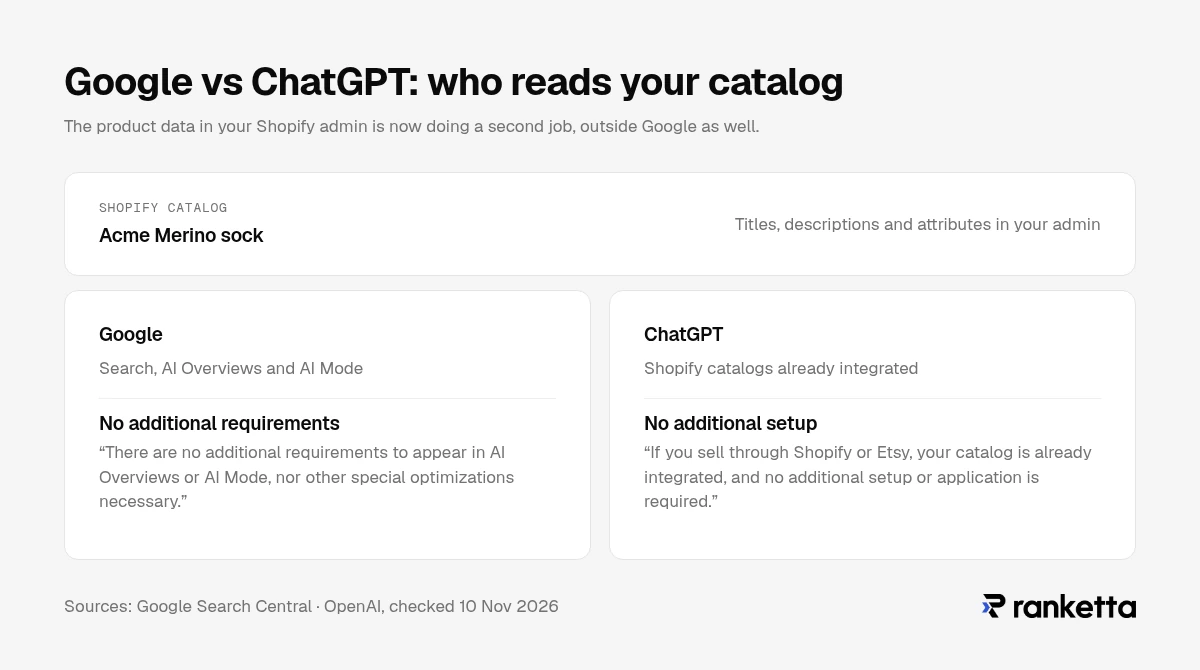
For Google, mostly yes. Google says: "There are no additional requirements to appear in AI Overviews or AI Mode, nor other special optimizations necessary." Its guide to generative AI features adds that "Structured data isn't required for generative AI search," and that you don't need "AI text files" or Markdown versions of your pages. In other words, the same SEO best practices apply to Google's AI features. Our guide to AI search optimization covers what the evidence says about the rest.
Outside Google, the product data in your Shopify admin is now doing a second job. OpenAI's merchant page says: "If you sell through Shopify or Etsy, your catalog is already integrated, and no additional setup or application is required." OpenAI says products in ChatGPT are tailored to each shopper "based on preferences, context, and product data," so the product data you maintain in Shopify is part of what it works with. We explain how in ChatGPT product feeds.
What changes is measurement. Search Console shows how you rank in Google. It doesn't show whether ChatGPT, Gemini or Perplexity recommends your products when a shopper asks, or which competitor they pick instead.
How to see whether AI recommends your Shopify products
That's the gap Ranketta covers:
- Track. Ranketta monitors product recommendations across ChatGPT, Perplexity and Google AI Overviews for the shopping questions your customers ask, and shows which of your products appear and which competitors appear beside them.
- Fix. An AI agent proposes rewrites of titles, descriptions and attributes, with a confidence score on every fix. You approve or reject each one. Details are on our merchandising page.
- Ship. The Ranketta Shopify app writes approved changes back to your products. If you use Shopify's Google & YouTube channel, Shopify then syncs them to Google Merchant Center.
The point is not a second SEO process. It's seeing whether the product work you already do for Google is also getting you recommended.
What to do next
- Today: check the store isn't in private mode, add it to Search Console and submit
/sitemap.xml. - This week: rewrite titles, meta descriptions and the first two sentences of the description for your 20 best-selling products.
- This week: open the Web performance dashboard and note LCP, INP and CLS. Recheck after every new app.
- This month: add introductions, page titles and meta descriptions to your main collections. Remove or noindex empty ones.
- This month: add alt text to product images, starting with best sellers.
- Ongoing: keep temporarily sold-out products live and marked out of stock, redirect discontinued ones, and ask customers for reviews.
- Then: check whether AI assistants recommend your products for the questions your customers ask. Run a free AI visibility audit.
How we verified this
Every statement about what Shopify does was checked against Shopify's own Help Center and developer documentation on 10 November 2026. Google guidance was checked against Google Search Central and web.dev, and the ChatGPT statement against OpenAI's merchant page, on the same day. Shopify's help pages don't show an update date, so features may change; we'll re-check this page every three months.
Frequently asked questions
Sources
- Shopify Help Center, SEO overview, accessed 10 November 2026
- Shopify Help Center, Finding your sitemap, accessed 10 November 2026
- Shopify Help Center, Editing robots.txt, accessed 10 November 2026
- Shopify Help Center, Adding and updating products, accessed 10 November 2026
- Shopify Help Center, Adding alt text to product media, accessed 10 November 2026
- Shopify Help Center, Web performance reports, accessed 10 November 2026
- Shopify Help Center, Password page / private mode, accessed 10 November 2026
- Shopify Help Center, Syncing products to Google, accessed 10 November 2026
- Shopify Dev, structured_data filter, accessed 10 November 2026
- Shopify Dev, within filter, accessed 10 November 2026
- Google Search Central, AI features and your website, updated 10 December 2025
- Google Search Central, Google's guide to optimizing for generative AI features, updated 10 July 2026
- Google Search Central, Share your product data with Google, updated 10 December 2025
- Google Search Central, Designing a URL structure for ecommerce sites, updated 10 December 2025
- Google Search Central, Pause your online business, updated 10 December 2025
- web.dev, Web Vitals, updated 31 October 2024
- OpenAI, ChatGPT merchants, accessed 10 November 2026